Setting up OpenVPN on ASUS routers.
We have made the configuration of OpenVPN on Asus routers as easy as possible for you by creating a pre-configured config file for OpenVPN Connect connections which can be downloaded or emailed to you by our system.
IMPORTANT: Setting up OpenVPN on compatible Asus Routers may require a firmware update.
Configure your VPNUK connection: Click Here to configure your connection.
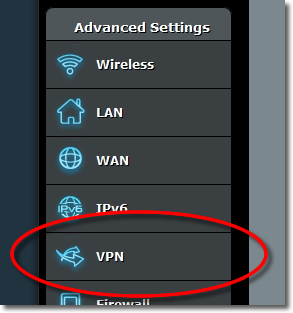
1. Go to VPN
Login to your ASUS router adminstration and from the ‘Advanced Settings’ panel go to ‘VPN’.
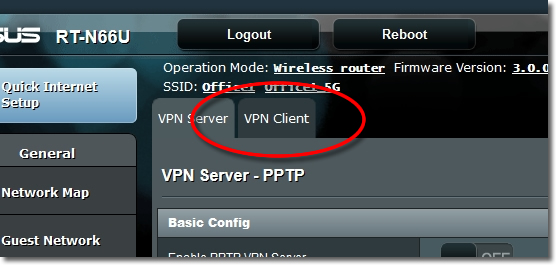
2. VPN Client
Click onto the ‘VPN Client’ tab.
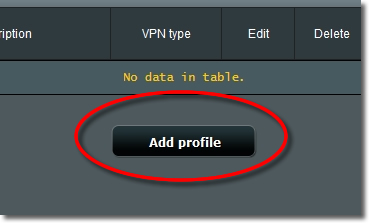
3. Add profile
Click onto the ‘Add profile’ button.
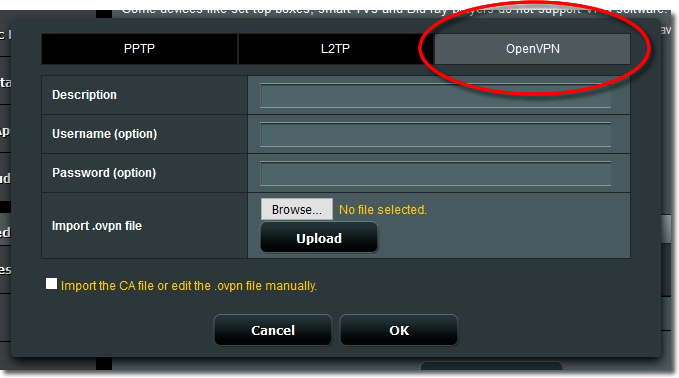
4. OpenVPN
Click onto the ‘OpenVPN’ button.
5. Account Settings
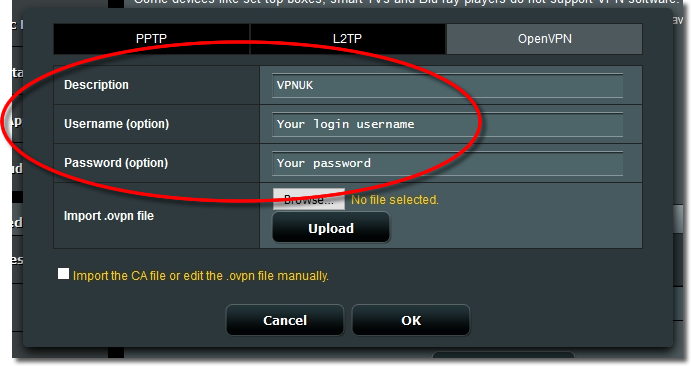
Enter any ‘Description’, as well as your VPNUK Login ‘username’ and ‘password’.
6. Browse for config file
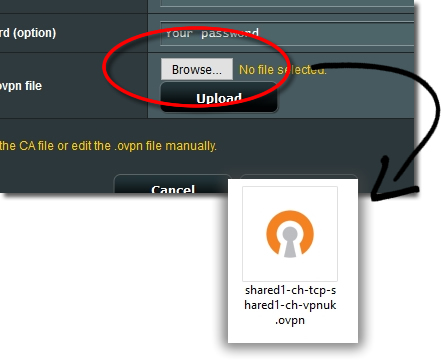
Click onto the ‘Browse’ button and import the .ovpn configuration file that you downloaded earlier.
Click Here to configure your OpenVPN connection if you did not do this earlier.
7. Upload Configuration
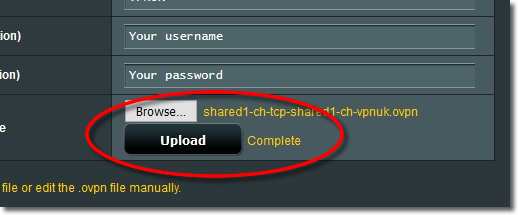
Click onto the ‘Upload’ button to save the profile.
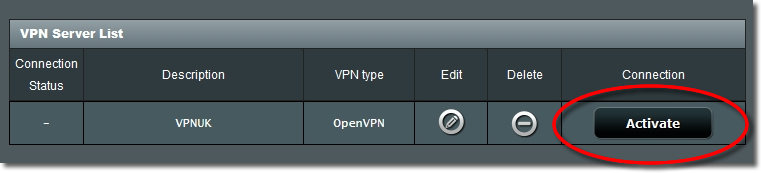
8. Activate
To enable the VPN click onto the ‘Activate’ button.
9. Disconnect
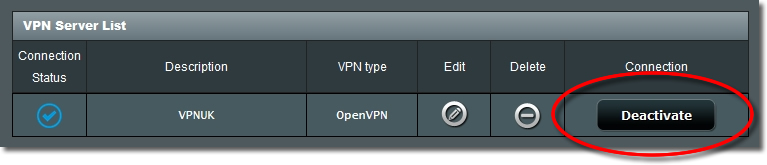
If you would like to disconnect the VPN click onto the ‘Deactivate’ button.